![elevent-logo-x10000.png]](https://help.bookelevent.com/hs-fs/hubfs/elevent-logo-x10000.png?height=40&name=elevent-logo-x10000.png)
Once your event is officially booked, you can message the host in your portal inbox.
Here is a direct link to your inbox if you want to jump there now!
How to message the host in your inbox:
1. Sign in to your Portal to view your Event & Gift Orders dashboard
2. Click on your inbox in the left-hand column to view your inbox across all reservations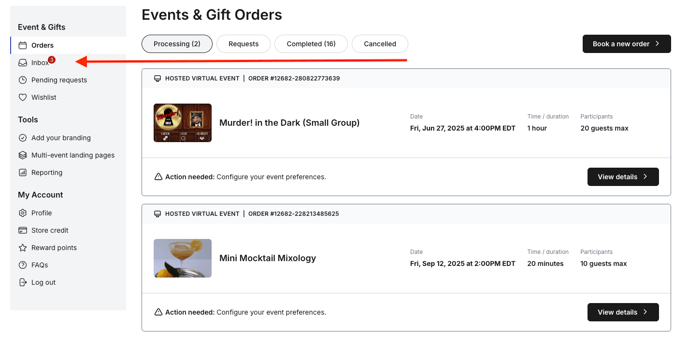
Alternatively, you can open a specific message thread from an individual reservation’s overview tab by clicking “Message Host.”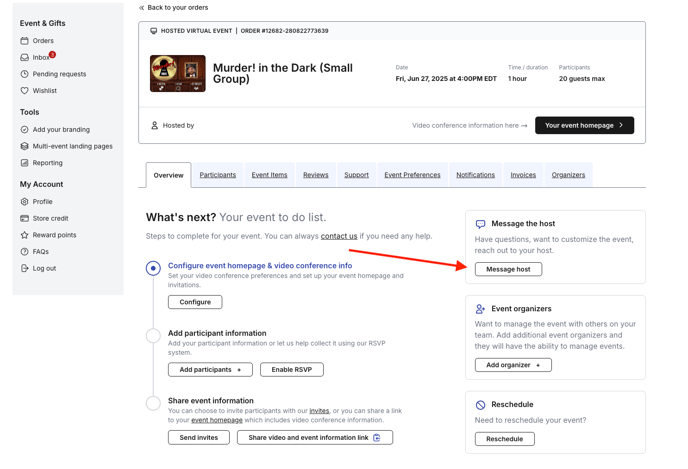
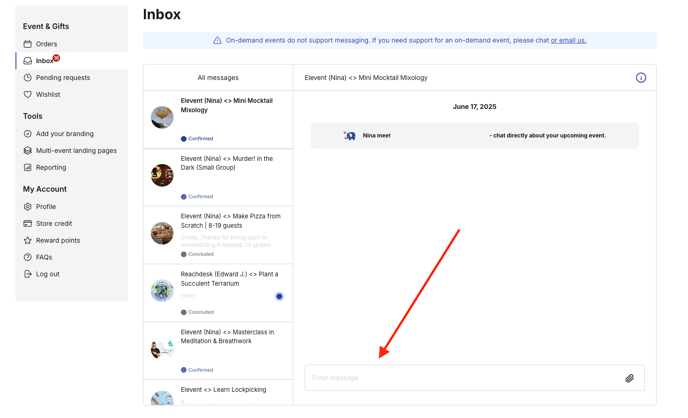
Most Hosts reply to portal messages within 1 business day or less, similar to email.
If you have an urgent question, please live chat with us.